Hospitality and restaurants
Changing shifts, breaks, absences and quick clock-ins for rotating teams.
Time tracking and HR operations
Jornadapp centralises clock-ins, shifts, absences, requests, documents, expenses, reports and internal communication so your company can leave spreadsheets, WhatsApp and manual processes behind.
HR operations
From clock-in to reports, Jornadapp brings together the tools you need to manage employees, workdays, shifts, requests and documentation from one simple platform.
Record clock-ins, clock-outs, breaks and incidents with GPS, QR, NFC or web access. Each clock-in can keep time, method, location, device and related security evidence.
Manage employees, sites, workdays, shifts, holidays and absences in one central place without spreadsheets or messy processes.
Each employee can clock in, check their day, review shifts, send requests, submit expenses, access documents and communicate with the company.
Generate reports, review hours sign-offs, control incidents and export data for internal review and working-time compliance.
Use cases
Jornadapp fits companies with shifts, mobility, multiple sites, managers and daily processes that need order.
Changing shifts, breaks, absences and quick clock-ins for rotating teams.
Control stores, managers, schedules and clock-ins from one shared panel.
GPS clock-ins, locations, incidents and traceability when teams work off-site.
Employee portal, documents, requests, reports and hour closures without spreadsheets.
QR, NFC, geolocation and sites to coordinate workers across different locations.
Multi-manager access, reports, permissions and optional modules to professionalise HR operations.
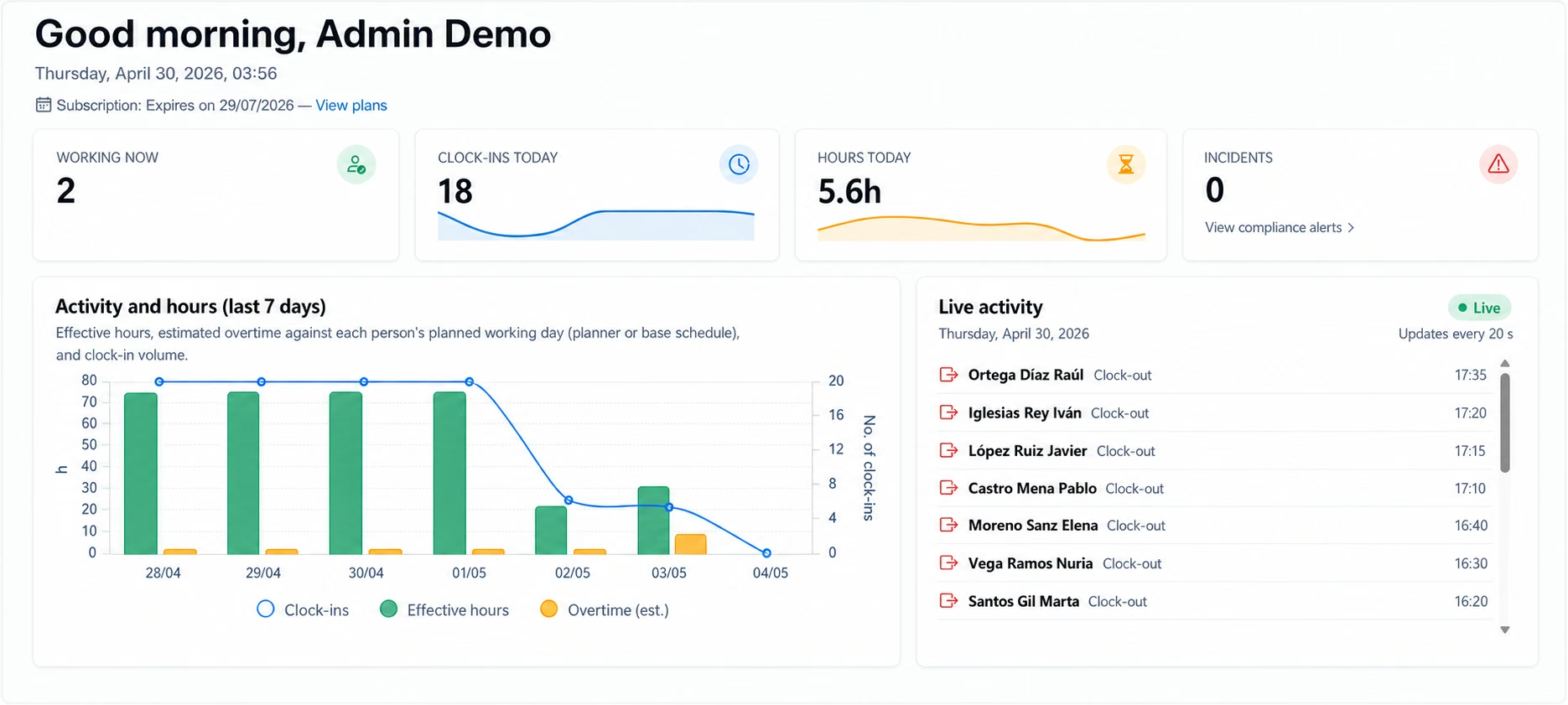
A clear view to control clock-ins, employees, absences, requests and reports from the company panel and employee portal.
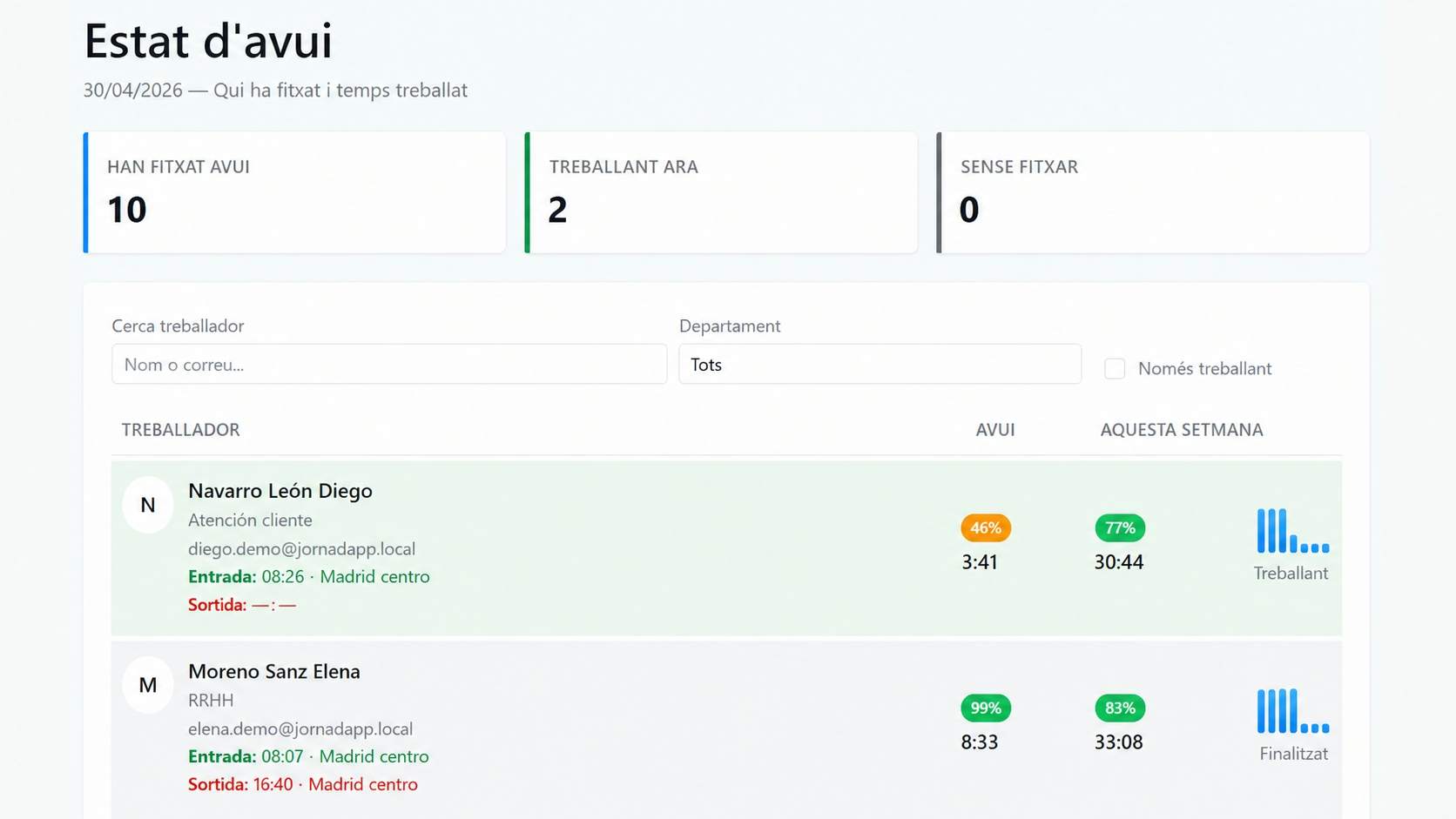
Check who is working, who is on break, which shifts are still open and which incidents need review.
Review time, method, location, device and the information attached to each attendance record. Jornadapp can link the clock-in to the worker’s authorized device and flag attempts from unrecognized phones.
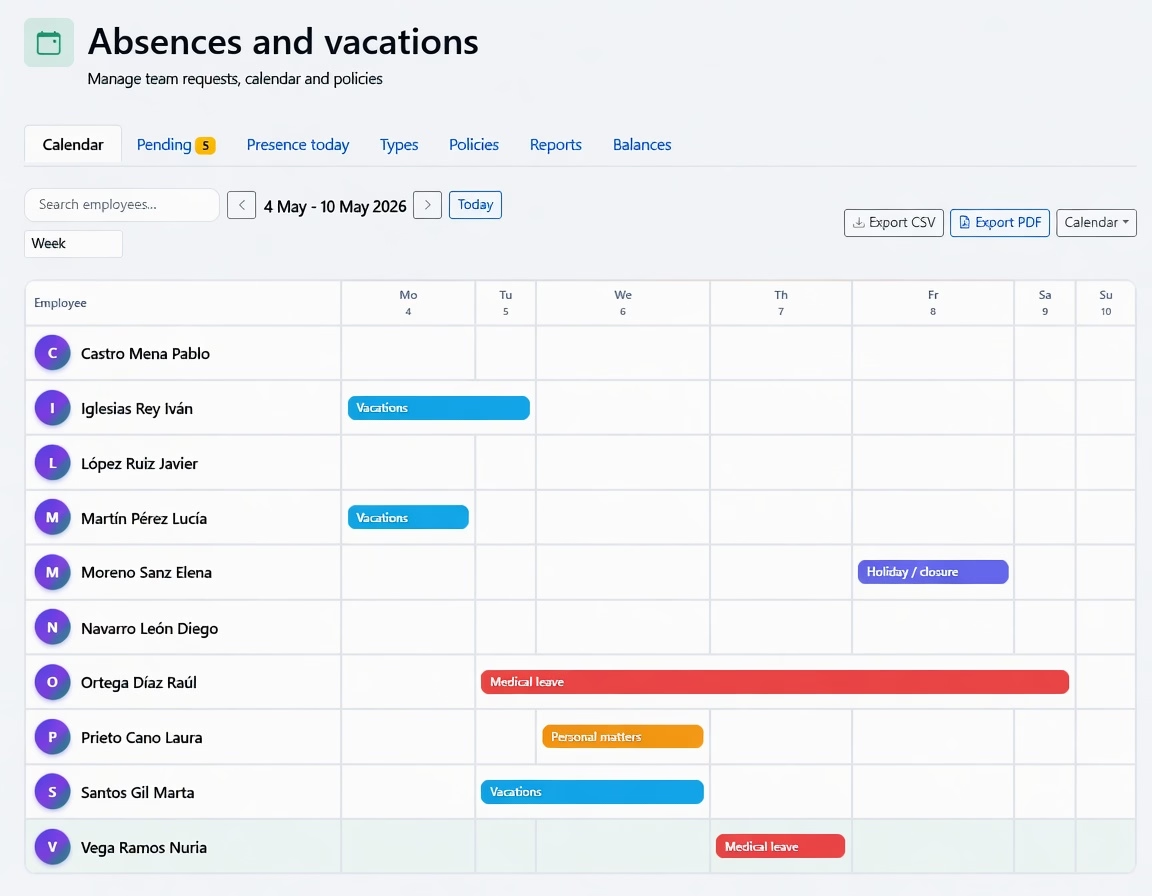
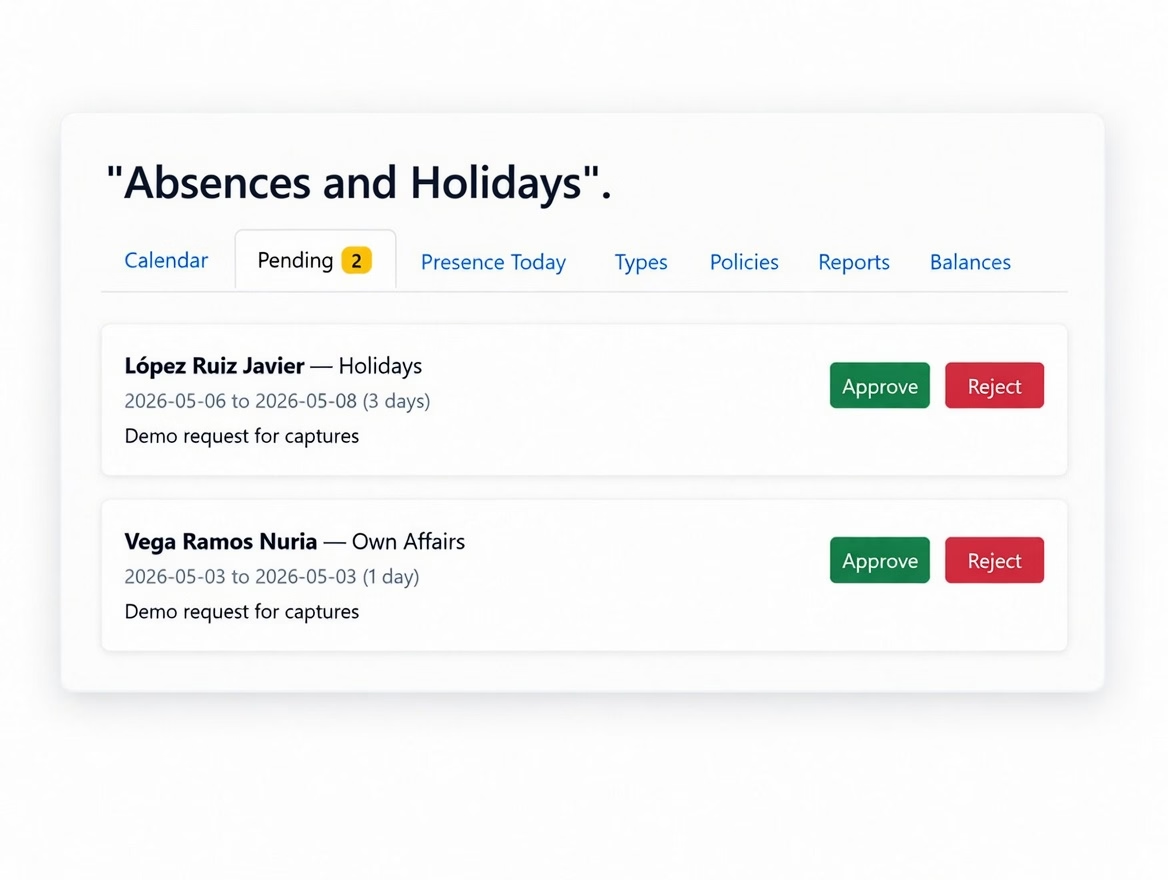
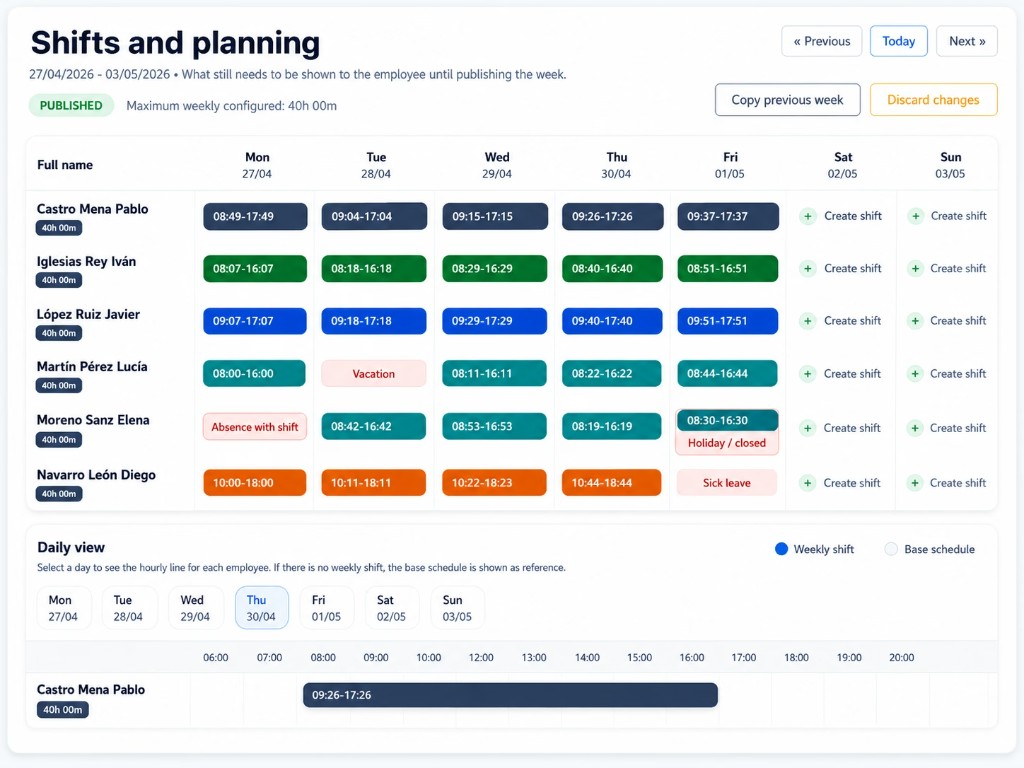
Check the team calendar, see who is available and approve holidays, sick leave or days off from one place.
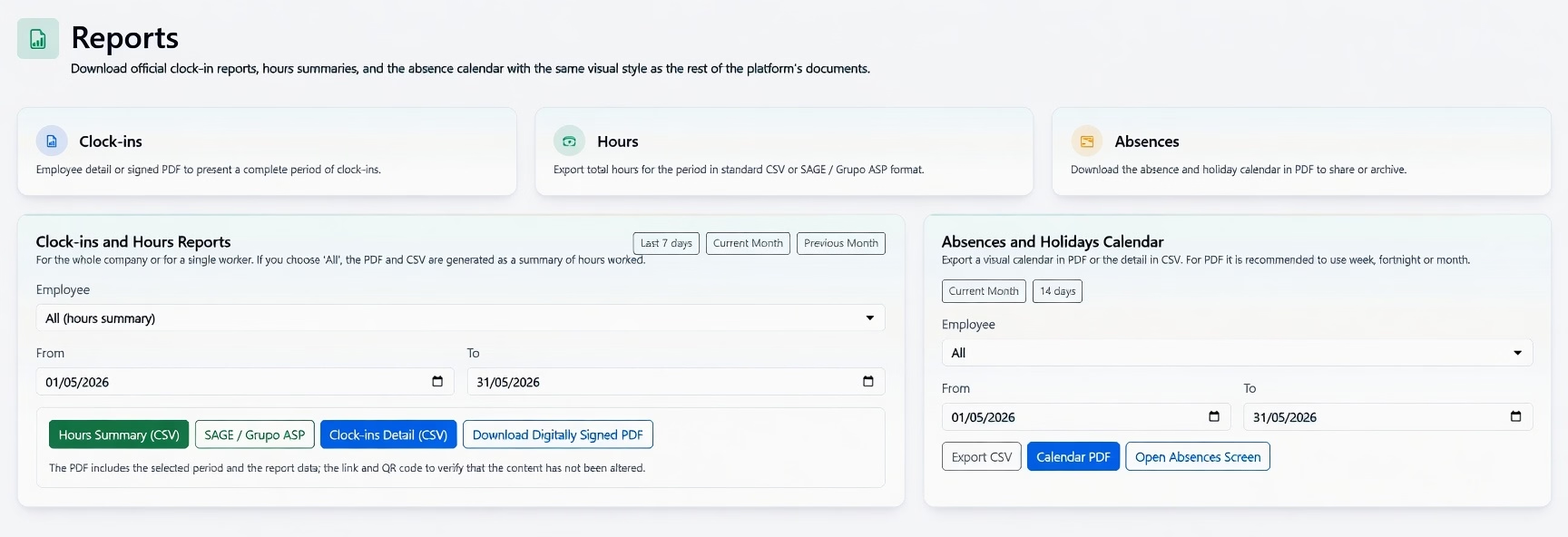
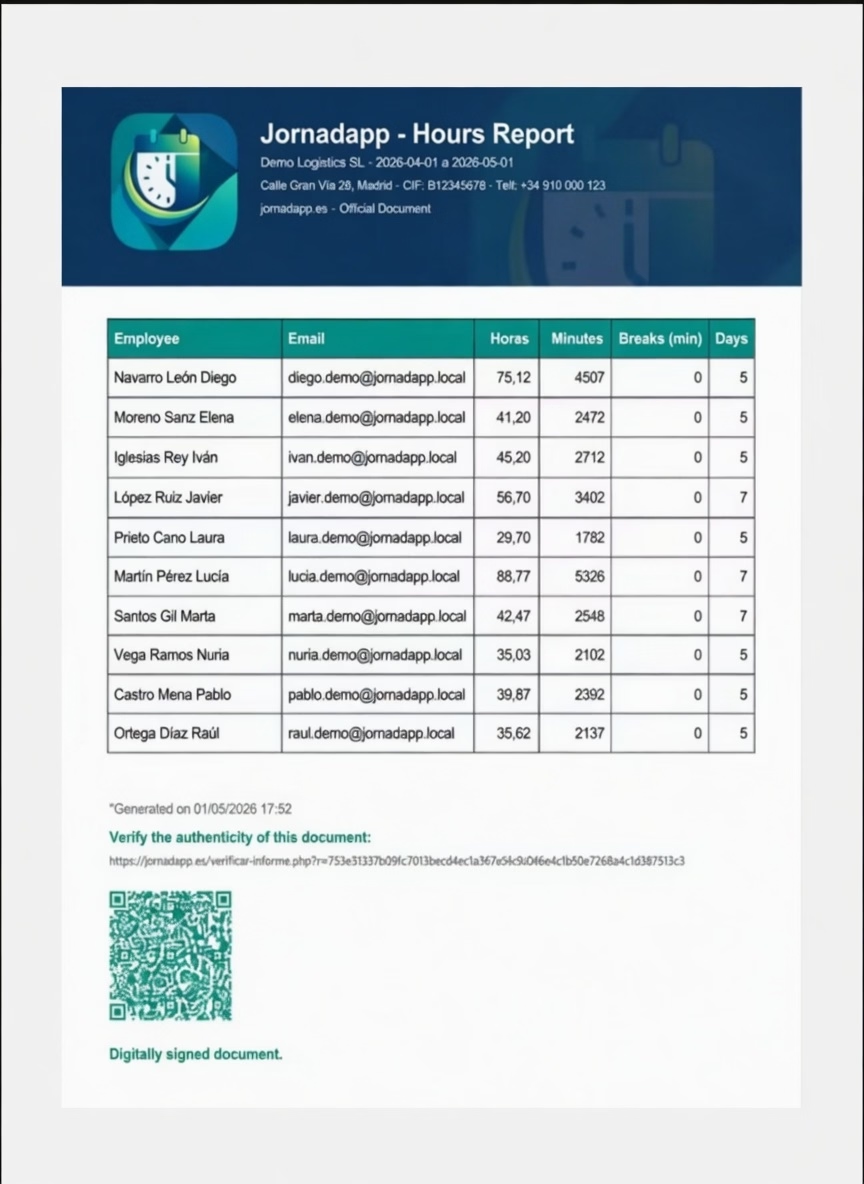
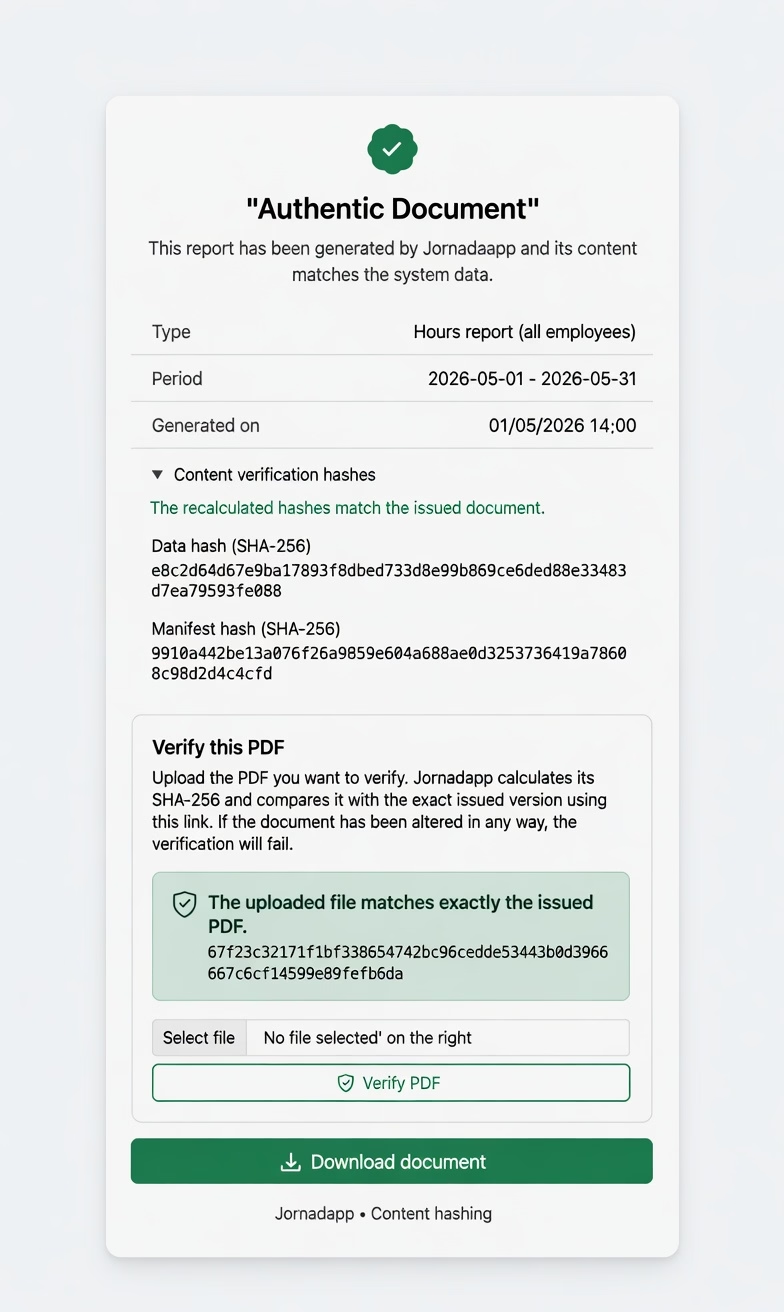
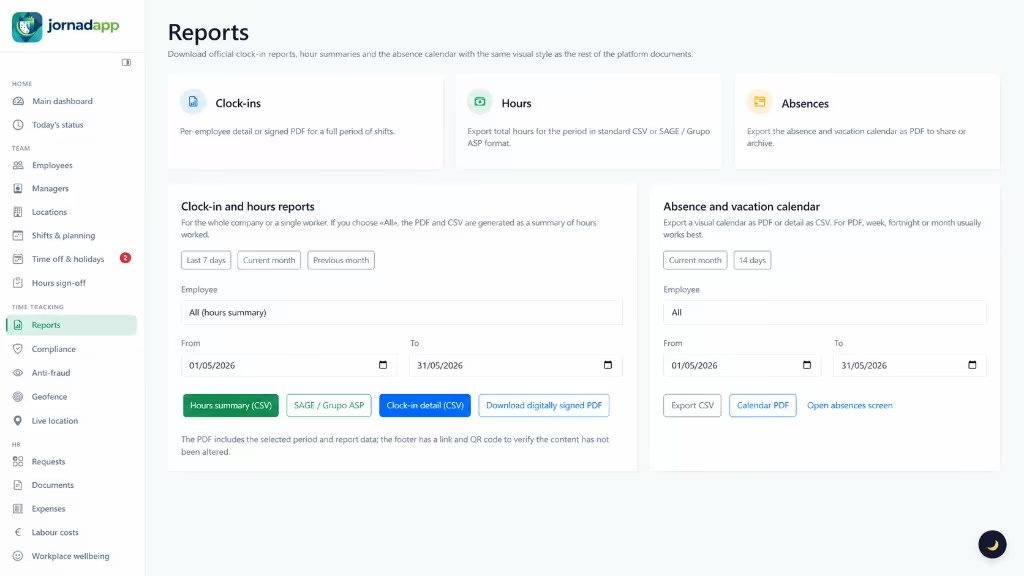
Generate hours, clock-in and absence reports with the same visual style you see in the platform: download them as digitally signed PDFs with QR codes, ready for audits or internal sign-off.
Enable additional modules according to how your company, sites and managers work.
Optional add-on: record receipts, allowances and mileage claims with company review.
Organise payroll, certificates and files by employee, year and period.
Centralise employee requests and avoid scattered conversations.
Define valid clock-in areas and check location while the workday is open.
Included in the plan: “I need help” button in Clock-in with location so the company can respond to mobile teams.
Optional add-on: record work trips, calculate road distance and review the route map.
See which phone each employee clocks in from and strengthen login with Play Integrity (Android) and App Attest (iPhone).
Connect Jornadapp with ERP, n8n, Make, Zapier or other systems through webhooks.
Optional add-on: lightweight conversations with employees and push notifications.
Get alerts for clock-ins outside allowed zones, new devices, incidents, pending requests or records that need a review.
Organise sites, departments and managers so each team only handles the information that belongs to them.
Compliance and evidence
Each clock-in can keep time, method, device, location when relevant, history and security evidence so the company works with traceable, reviewable data.
PDF/CSV exports and documents with integrity fingerprints for time record review.
Employees confirm their hours and the company reviews issues before closing periods.
Clock-in methods, location, authorized device, record signing and Play Integrity / App Attest checks help flag doubtful clock-ins, even when valid credentials are used from an unrecognized phone.
Requests, absences, documents and expenses stay linked to the right team and period.
How it works
They record start, end and breaks using the methods the company allows. Where applicable, the clock-in is linked to the employee’s authorized device.
Managers and admins see team status, review incidents, plan shifts and manage absences. They can also review alerts for new devices or clock-ins flagged as suspicious.
Records are ready for reports, weekly sign-offs, exports, internal review and compliance.
Onboarding
Start with time tracking and activate more tools when the team needs them.
Employees, sites and permissions from the panel, with data ready to leave spreadsheets behind.
Choose web, mobile, GPS, QR, NFC, sites, schedules, shifts and rules for your operation.
Check status, incidents, reports, requests and closures from the same place.
Teams and operations
Jornadapp fits when you have employees, shifts, mobile work, multiple sites or managers who need the same source of truth.
Time tracking, requests, documents and reports without scattered information.
GPS, QR or NFC clock-ins when you need traceability away from the workplace.
Plan workdays, holidays, absences and days off with a clear view.
Organise sites, permissions and managers so each person sees what matters.
Employee portal
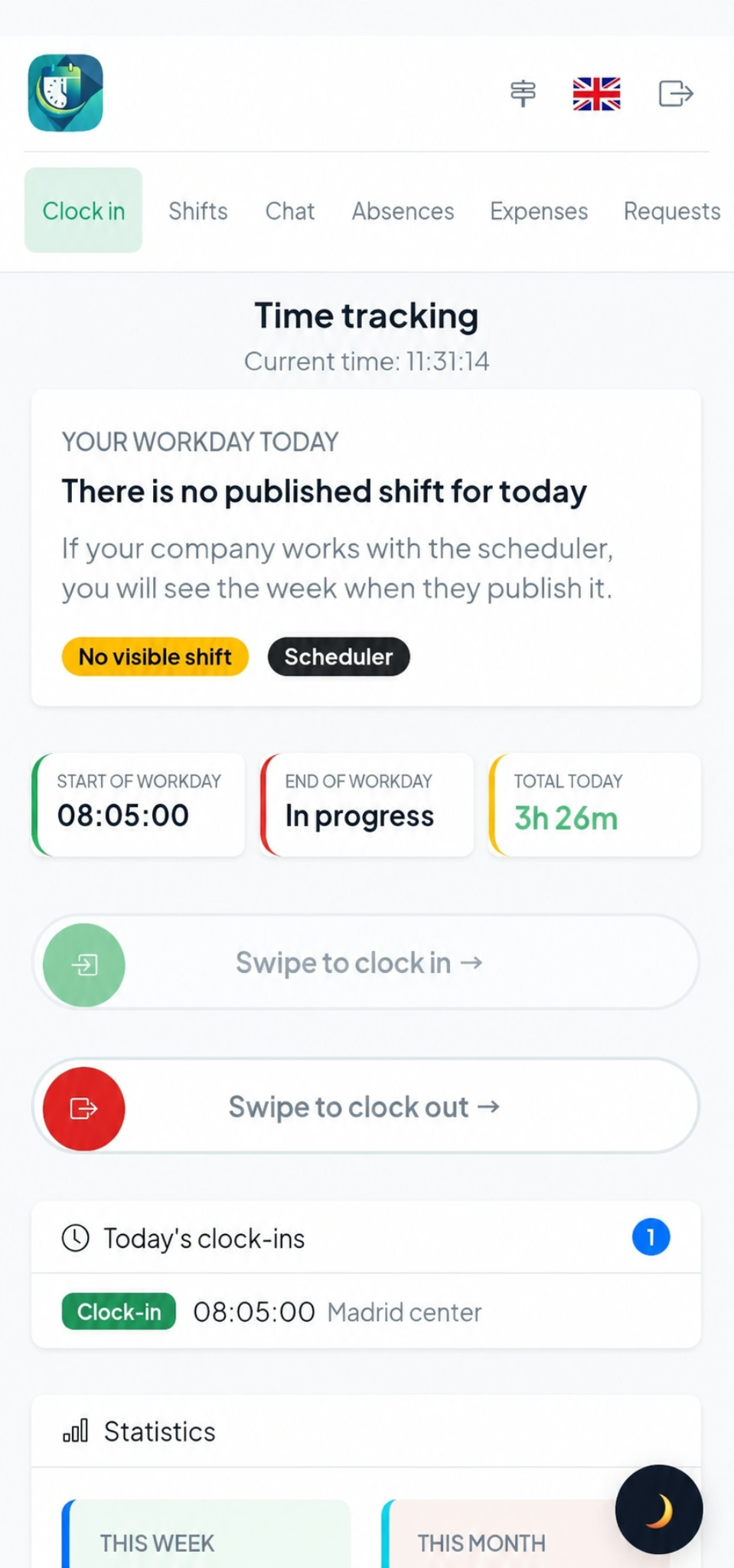
Each employee has a simple area to record their day, check information and send requests without relying on WhatsApp, calls or paper.
Clock-in, clock-out and breaks from mobile, web, QR or NFC depending on company settings.
See your schedule, company-published shifts and weekly view.
Check holiday balance, request time off and track your requests.
Send internal requests with type, priority and attachments; see counters and status without leaving the portal.
Chat with your company, notices and follow-up without leaving Jornadapp.
Payslips and HR files; expenses and allowances with receipt photos and status tracking when your company enables them.
Advanced workforce management
Activate additional capabilities according to your team, sites and managers.
Comparison
The difference is connecting time records with the company’s daily work.
| Excel / WhatsApp | Basic app | Jornadapp | |
|---|---|---|---|
| Clock-ins | Manual and hard to review | Clock-in and clock-out | Clock-in, clock-out, breaks, methods, traceability, authorized device and clock-in signing |
| Clock-in security | No real device control | Limited validation | Authorized devices, Play Integrity / App Attest, traceability and clock-ins signed from the app |
| Shifts and absences | Messages and loose sheets | Usually limited | Shifts, holidays, absences, calendar and requests |
| Employee portal | Phone-call dependency | Clock-in only | Workday, shifts, requests, documents, expenses and chat |
| Reports | Manual preparation | Simple exports | PDF/CSV reports, closures, history and verifiable documents |
| Growth | Gets messy fast | Falls short | Multi-site, multi-manager, extras, webhooks and permissions |
Jornadapp works from browser, mobile and installable access. Company and employees can work from the office, workplaces or on the move.
Available now on Google Play, AppGallery and the App Store, plus the installable web version.
Use the Android app or installable web access to clock in, review shifts, submit expenses, reply to chats and receive alerts.
In Chrome: browser menu > "Install app" or "Add to Home screen".
View on Google Play View on AppGalleryThe iPhone app mirrors the mobile workflow with clock-in, shifts, expenses, requests, chat and notifications.
In Safari: Share > "Add to Home Screen".
Open in App StoreOpen the full dashboard, reports and settings from any browser.
Same access from desktop, tablet or mobile
https://jornadapp.net Install appStart with time tracking and activate more tools when your company needs them.
Pricing
Time tracking, employee portal and day-to-day workforce management in one plan per active user.
One tiered plan plus optional extras: live tracking, expenses and allowances, internal chat, and routes and mileage.
Pricing, billing periods and VAT are shown upfront so the offer is clear before sign-up.
14-day free trial: full access to your selected plan features for the whole trial period.
Amounts exclude VAT; the rate shown is added when you subscribe.
Por usuario activo al mes · precios por tramos · mínimo mensual
Real examples by user count:
Premium modules activated per company: tracking, expenses, chat and routes. The first charge can be prorated to align with your plan renewal.
Amounts exclude VAT; the rate shown is added when you subscribe.
Live team location only while a shift is open.
129,00 € /year (reference)
Receipts, allowances and mileage with an approval workflow.
109,00 € /year (reference)
Internal messaging between managers and staff with push alerts.
99,00 € /year (reference)
GPS routes with road distance, trip map and history for managers.
49,00 € /year (reference)
Help
Answers about the platform: clock-ins, employee portal, shifts, absences, reports, security, apps and integrations.
Yes. You can try Jornadapp free for 14 days with your plan features, with no commitment during the trial.
No. You can create your account and start the 14-day trial without entering a card. The trial expires automatically and does not trigger a charge.
Single plan per active user by tier, with monthly minimum and VAT by rate. Includes a 14-day trial. Optional extras (live tracking, expenses and allowances, internal chat, and routes and mileage) per company. See Pricing on the home page for current rates.
You can create the company, choose clock-in methods and add your first employees in a few minutes. If you already have a staff list, our team can help import it.
Yes. Send us your Excel, PDF or CSV and our team will review the list and create the accounts at no per-worker cost.
Before registering, you can talk to us by phone or WhatsApp. Customers also get traceable support tickets from the panel.
Create your account, set up your company and try Jornadapp free for 14 days.